
evergreen guide
Choose a Home Launch Monitor by the Shot Problem You Can See
A practical framework for choosing a personal launch monitor by starting with an observable on-course problem, selecting only the data that can track it, and building a repeatable home-practice routine.
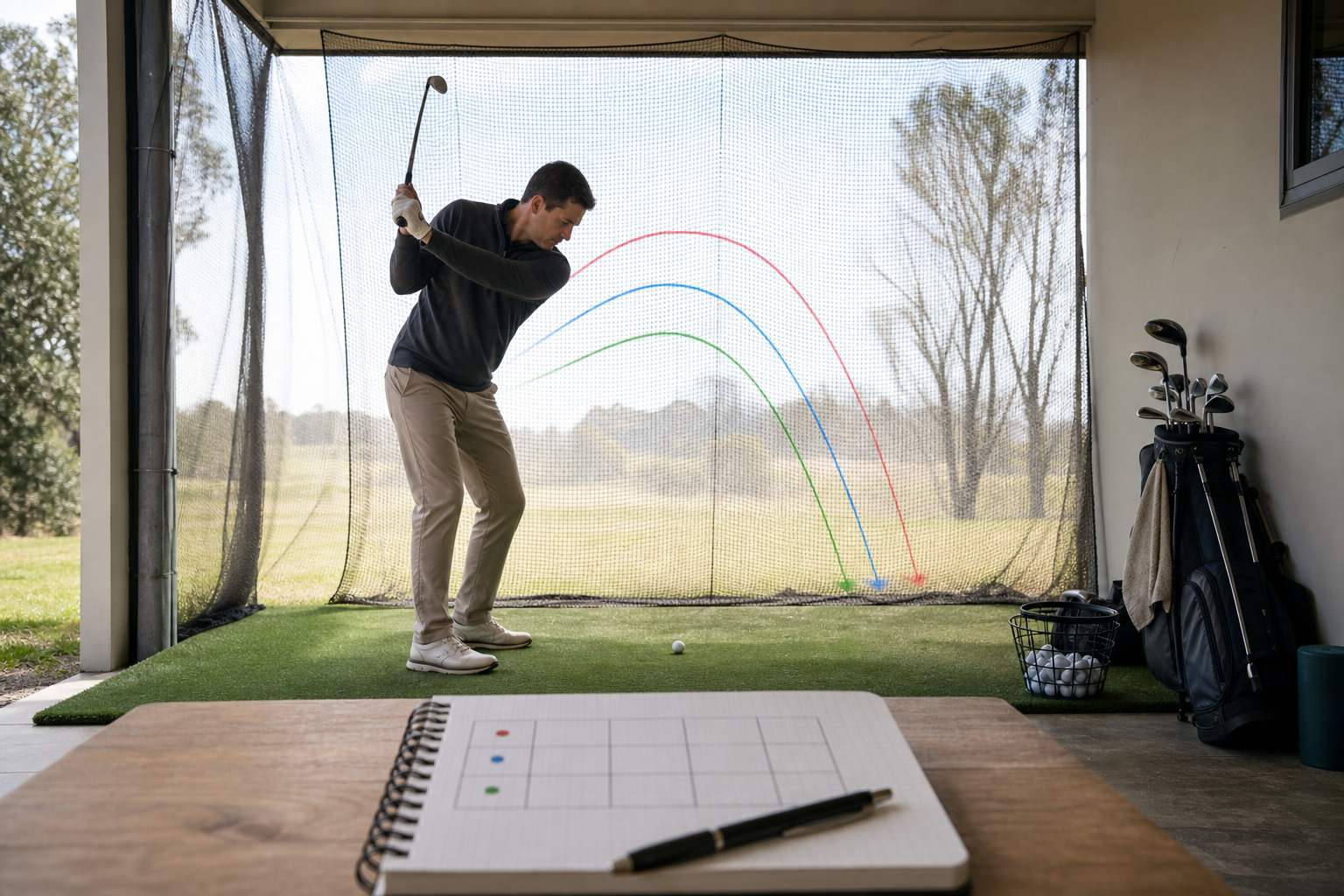
Built for: Golfers deciding whether a personal launch monitor provides the measurements and setup their practice actually needs.
When a tee shot keeps finishing short of a familiar bunker or a wedge repeatedly comes up outside a comfortable scoring range, more numbers are not automatically the answer. Choose a home launch monitor only when its reported information can make one visible practice problem easier to track.
The quick verdict
Buy a personal launch monitor for a defined practice question, such as whether a chosen club produces a repeatable distance pattern in your available hitting space. Skip a feature-rich unit when you cannot name the decision its readings will change.
Best for Golfers with a safe, repeatable home setup who will record a small set of results and compare like-for-like shots over several practice sessions.
Skip it if Golfers who need a device to diagnose a swing, lack a suitable hitting area, or mainly want entertainment without a plan for acting on the data.
Begin with the shot that keeps costing you
The decision becomes clearer when it starts on the course, not on a product page. Perhaps a 7-iron is regularly short of a green-front hazard, or your practice wedges feel solid but produce uncertain carry outcomes. Those are observable problems. Write one down in plain language before comparing monitors.
Then turn it into a practice question. “What distance pattern do I get from this club when I hit 12 comparable shots?” is useful because it has a club, a repeatable task, and a result you can record. “Fix my inconsistency” is too broad to guide a purchase or a session. The PGA of America advises practicing with a defined purpose and measurable structure; this approach gives a home monitor a job rather than asking it to supply direction by itself.
Guild recommendation: Choose a monitor only after you can state one on-course problem, one club or shot type, and one result that would help you make a practice decision.
Match one feature to one decision
A launch monitor may report many readings, but a long dashboard can turn a focused session into an exercise in chasing movement from shot to shot. The better question is not “What data does it have?” It is “Which reported value will I record, and what will I do if it changes?”
For the golfer trying to establish a dependable club-distance window, a distance-related reading may be the useful feature. For a golfer whose question concerns initial flight, a launch-related reading might be relevant. Do not assume a metric is helpful merely because it sounds technical. Ask the manufacturer which readings the model reports, how they are displayed, and whether the display lets you review a small group of comparable shots. A feature earns its place when it helps you sort a repeatable outcome into a simple choice: keep the current target, adjust the target, or gather more comparable shots.
Treat broad claims about precision, realism, or improvement with care. The FTC states that objective advertising claims should have a reasonable basis. Look for clear, specific documentation rather than relying on vague superlatives, and distinguish a manufacturer’s claim from an outcome you have verified in your own setup.
Guild recommendation: Prioritize the smallest set of reported readings that answers your practice question, then check that the manufacturer explains those readings and the conditions for using the unit.
Your room is part of the measurement system
A home launch monitor is not just a device purchase; it is a repeatable station. The same monitor can be useful in one space and frustrating in another if it cannot be placed in the required relationship to the ball, target, or net. Before buying, measure the room or garage and map where the golfer stands, where the ball sits, where the ball travels, and where the device would sit. Also allow practical room to enter, exit, and reset safely.
Consistency matters as much as convenience. If the device must be moved between lawn furniture, storage boxes, or changing hitting positions, your comparison from one session to the next becomes less clean. A compact unit is best for golfers who must pack everything away, but only if it can be returned to the same position without a complicated reset. A more permanent station suits the golfer who can leave a mat, net, target line, and device position unchanged.
Read the product instructions before treating a claimed indoor or outdoor use case as a match. Confirm the stated space, ball, alignment, software, power, and connectivity requirements against your actual practice area. If any required condition is unclear, do not build your purchase decision around an assumption.
Guild recommendation: Sketch the full hitting station and verify each stated setup requirement before comparing extra readings, simulation features, or accessories.
Evaluate usefulness by repeatability, not a single impressive shot
The tempting first session is a driver contest: hit a few balls, find the best number, and assume the device has delivered an answer. That does not connect closely to a playable decision. Instead, use one club and one target window, record a modest sample, and repeat it on another day. The result is not a judgment of your swing. It is a record of the outcomes produced under a controlled routine.
A useful monitor makes this process easy enough that you will actually repeat it. Consider the display at address, the number of steps required to start a session, the way shots are saved or noted, and whether the unit returns to the same setup position each time. A golfer practicing for 20 minutes after work may benefit more from a simple routine that produces a readable pattern than from a more elaborate system that stays packed away.
If your goal is instruction or equipment fitting, a home device can still provide observations to discuss with a qualified professional. It should not be treated as a standalone diagnosis. Keep the boundary clear: reported data can organize what happened in a session, while changes to technique or equipment require context beyond a single number.
Guild recommendation: Use a monitor for repeated comparisons under the same conditions, and judge its value by whether its output helps you set a more realistic target for the next session.
Try this · 20 minutes.
The 12-Shot Distance-Window Check
Use a safe practice area and the same club, ball type, target line, tee condition, and launch-monitor placement for every shot. Before starting, choose one observable question, such as whether this club repeatedly reaches a target distance window, and write that window in a notebook.
- Hit three unrecorded shots to settle into the session, without making a technical change.
- Hit 12 shots with the same club and record only the monitor reading you selected before beginning, plus a simple note of whether the shot finished inside or outside your chosen window.
- After the sixth shot, pause briefly to confirm that the ball position, target line, and device placement have not changed.
- At the end, count the shots inside the window and note whether misses were mostly short, long, or mixed.
- Repeat the same check on another day before changing clubs, targets, or the metric you are tracking.
What progress looks like: The useful result is a repeatable baseline: you know how many comparable shots landed in the selected window and whether the misses tended to favor one side of that window.
Put the guide to work
These searches are a starting point—not a substitute for the fit and comparison criteria above.
Portable launch monitor home practice
Compare the stated setup requirements, the readings displayed, and whether the unit can be positioned safely and consistently in your available space.
Indoor golf launch monitor net setup
Compare the manufacturer’s stated indoor-use guidance with your net, ball-flight area, and the room needed behind and beside the hitting position.
Golf launch monitor shot data display
Compare how clearly each option presents the one or two readings you intend to log instead of paying for a long list you will not use.
If you buy through these links, Guild of Golf may earn a commission at no extra cost to you.
The practical takeaway
- Name the observable shot problem before deciding which monitor feature matters.
- Choose a reported reading only when it will change a clear practice decision.
- Verify the stated setup requirements against the space where you will actually hit balls.
- Record a small, comparable group of shots and repeat the session before drawing conclusions.
- A simple monitor that supports a repeatable routine can be more useful than a complex one that does not fit your space or habits.
Frequently asked questions
What is the first feature to compare in a home launch monitor?
Start with the one reported reading that answers your defined practice question. If you cannot say what decision the reading will change, it is not yet a buying priority.
Should I choose the monitor with the most metrics?
Not necessarily. More metrics can be useful only when they serve a purpose you can repeat and measure. A short, understandable record of comparable shots is often more actionable than a crowded display.
How can I check whether a monitor will fit my practice area?
Map the golfer, ball, intended ball-flight area or net, and device position in the space. Then compare that map with the manufacturer’s stated setup and safety requirements before purchasing.
Can a home launch monitor tell me what is wrong with my swing?
Use it to organize observed shot results, not as a swing diagnosis. If you want technique guidance, take your repeatable observations to a qualified golf professional who can add context.
Sources used for this draft
- PGA of America: Practice With Purpose — The recommendation to give practice a defined purpose and measurable structure.
- FTC Advertising and Marketing Basics — The guidance to assess objective product claims for a reasonable basis and seek specific documentation.
Guild of Golf may earn a commission from qualifying purchases made through shopping links, at no extra cost to the buyer.