
evergreen guide
Choose a Home Launch Monitor by the Problem You Can Actually Measure
A practical framework for matching a personal launch monitor’s reported measurements and setup demands to one observable practice problem.
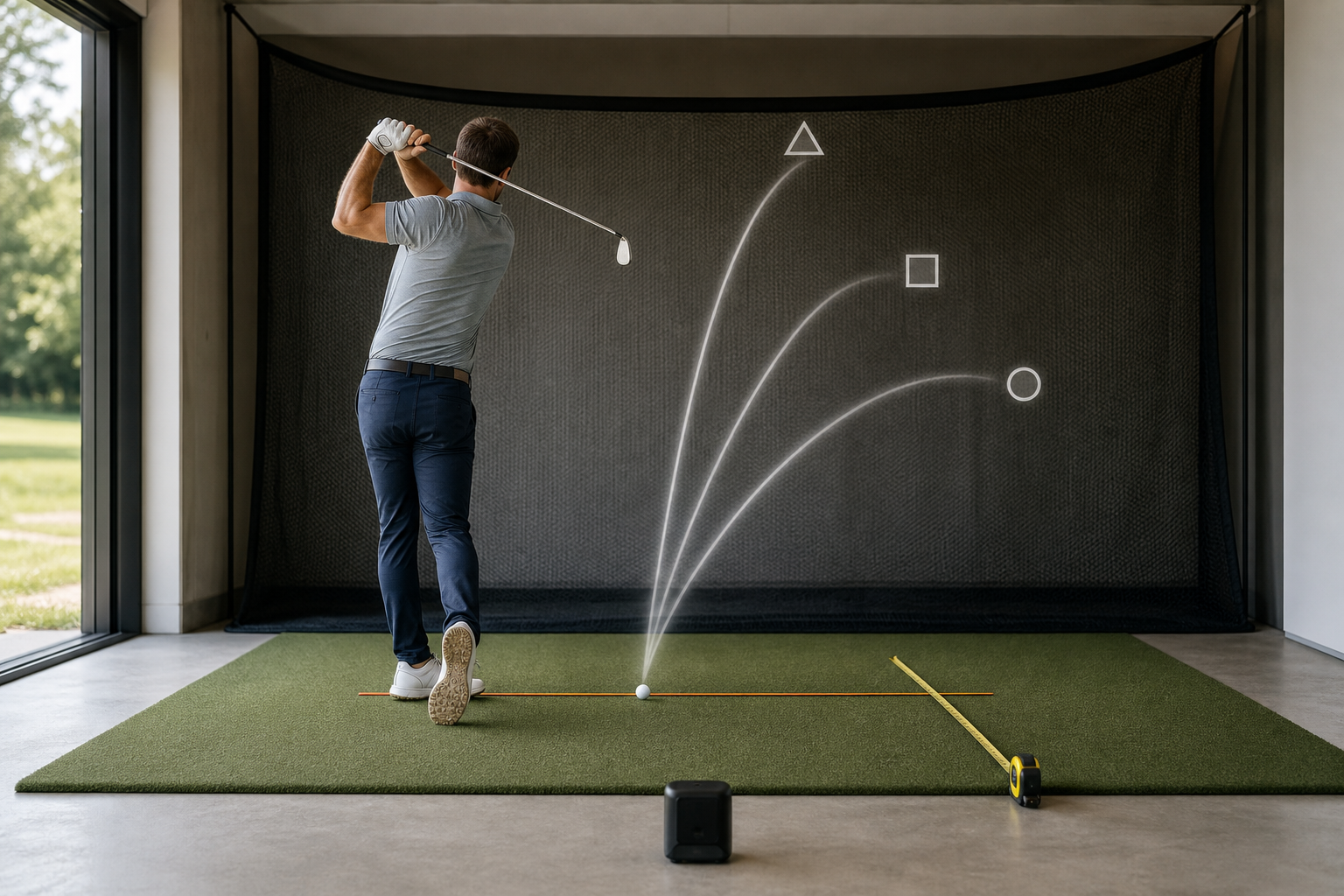
Built for: Golfers deciding whether a personal launch monitor provides the measurements and setup their practice actually needs.
The wrong launch monitor is not necessarily a bad one; it is one that supplies numbers you cannot turn into a repeatable practice decision. Start with the shot result you can see, then require only the feature that helps you track it.
The quick verdict
Buy a home launch monitor only when its documented setup and reported measurement let you track one recurring shot result in a repeatable practice session.
Best for Golfers with a defined practice question, such as whether one club is producing a more repeatable starting window or distance result from the same home setup.
Skip it if Skip it for now if you do not have a safe, repeatable hitting area or cannot name a result you would change based on the data.
Start with the shot result that keeps showing up
A monitor becomes most useful after an ordinary on-course frustration is translated into an observable practice question. Perhaps a mid-iron sometimes flies well past the front edge and sometimes finishes short, or a reliable-looking tee shot begins in a different direction from one swing to the next. Those are not requests for every available number. They are requests to observe a repeatable result under repeatable conditions.
Write the problem in a sentence that can be checked in one session: “My seven-iron distance result varies more than I expect,” or “I want to see whether my normal driver shots begin in a consistent window.” Avoid a broad goal such as “improve my swing.” It does not tell you what a monitor must report or what you will do after seeing the result. Purposeful practice needs a defined and measurable structure, which is why the question comes before the product list.
Guild recommendation: Choose one observable shot result first, and do not pay for a broader measurement menu until you can explain how an additional number will change a practice decision.
Match the measurement to the decision, not to the spec sheet
Make a short three-column note: the result you want to observe, the measurement that would help you observe it, and the action you would take after a session. If your concern is distance control, confirm whether a candidate’s documentation reports the distance result you intend to track. If the issue is the initial direction of a shot, confirm that its documented output gives you a result you can use to compare starts from the same target line.
Then ask the hard question: what would make the number useful? A golfer whose shots routinely miss a green long and short may use a recorded distance baseline to organize club-specific practice. A golfer who merely enjoys seeing distance after every strike may still value a monitor, but that is entertainment or motivation rather than a defined improvement tool. Neither use is wrong; confusing them makes feature comparisons needlessly expensive and complicated.
Do not assume that a metric is present, available in every setting, or interpreted the same way across products. Read the current product documentation and keep the manufacturer’s claims separate from the decision you make with the data. Objective advertising claims should have a reasonable basis, so documented claims deserve more weight than vague promises or unsupported listings.
Guild recommendation: Keep a model on your list only if it documents the one measurement you need and you can describe the practice action that will follow from it.
Treat the room as part of the purchase
A launch monitor cannot rescue a practice area that changes from session to session. Before comparing devices, map the space you will actually use: the hitting location, target line, intended device location, ball-flight or impact area, and a clear route to set up and put away safely. Then compare those realities against each candidate’s documented indoor and outdoor instructions.
This matters most to the golfer practicing in a garage after work, where one session may be rushed around storage boxes and the next begins from a different mat position. If the unit needs a placement you cannot preserve, the resulting records may be harder to compare. A portable option may suit someone who practices at both a range and home, but portability has little value if setup changes prevent consistent sessions. Conversely, a more involved station can make sense when it remains in place and removes the temptation to improvise the target line each time.
Also plan for the boring details: power, display or app workflow, protected storage, and the time it takes to begin a session. A monitor that takes too long to establish is likely to lose to a simple, repeatable ten-ball practice block.
Guild recommendation: Measure and sketch your intended station before shopping, then reject any candidate whose documented placement and operating routine do not fit it.
Look for repeatability before chasing precision language
For home practice, a useful first test is whether you can reproduce the same setup and get a complete record from a straightforward set of shots. That does not require you to diagnose a swing or declare one number perfect. It requires a stable target line, a consistent hitting position, and a simple way to recognize a missed or interrupted reading.
During a demonstration, return window, or first sessions with a new unit, resist the urge to compare every club and every mode. Use one club, one ball type, one target, and one reported result. If a reading is absent or the setup is difficult to repeat, make a note rather than forcing an explanation. You are evaluating the station’s usefulness, not trying to prove that every swing should match.
A model with fewer relevant outputs and a dependable routine can be more valuable than one with many outputs that overwhelm your note-taking. The best home tool leaves you with a clear next session, not a screen full of figures you cannot connect to a shot pattern.
Guild recommendation: Use a ten-shot baseline with one club and one metric before expanding your routine to additional clubs, modes, or software.
Know when a monitor is not the next purchase
A launch monitor is a poor first answer when the underlying constraint is time, safety, or an inconsistent practice area. If you can only hit a few hurried balls while moving furniture, first improve the station’s repeatability. If you cannot safely create the intended shot environment, do not build a purchase decision around a device that assumes one.
It is also reasonable to skip a personal monitor when your actual need is professional instruction, facility access, or a different form of feedback. Numbers can document a shot result, but they do not automatically explain why it happened or prescribe a change. A golfer who cannot commit to a single practice question may get more immediate value by keeping sessions simple and defining that question first.
Guild recommendation: Delay the purchase when you cannot safely repeat the setup or when you want an explanation that the reported measurements alone cannot provide.
Try this · 20 minutes.
The One-Question Baseline
Use a safe hitting area with the same target line, ball position, club, and type of ball for every shot. Place the launch monitor exactly as its instructions require, and choose one reported result that relates to your question, such as carry distance if the device documents that measurement. Keep a simple note sheet with space for ten shots.
- Write one question before hitting, such as, “Can I produce a tighter carry-distance range with this club from this setup?”
- Hit two easy shots to settle into the session, without recording them.
- Hit ten normal shots with the same club and record only the selected reported result plus a simple note for any obvious setup interruption, such as a moved ball position or an interrupted reading.
- Do not alter your swing during the ten-shot set. Your job is to learn whether the station produces a usable baseline.
- Review the notes after the set. Separate interrupted or missing readings from the complete readings, then identify the spread and the general pattern of the complete set.
What progress looks like: The session succeeds when you finish with a complete, repeatable baseline and can state one specific next practice decision, such as keeping the same setup for another ten-shot comparison or changing one clearly defined practice constraint.
Put the guide to work
These searches are a starting point—not a substitute for the fit and comparison criteria above.
Compare home launch monitor setup requirements
Use product documentation to compare placement instructions, space requirements, and whether the unit is intended for the kind of hitting area you have.
Compare reported measurement lists
Compare only the measurements documented for each model, then remove models that do not report the one result your practice question needs.
Compare home practice station aids
A simple alignment reference can help you preserve the same target line between sessions, making your monitor data easier to compare.
If you buy through these links, Guild of Golf may earn a commission at no extra cost to you.
The practical takeaway
- Define the recurring shot result before comparing products.
- Require a documented measurement that directly supports one practice decision.
- Treat placement, room layout, and session-start friction as core product features.
- Evaluate the first sessions by repeatable setup and usable records, not by the length of the metric list.
- Skip a monitor when the practice space or goal is not yet stable enough to make its data actionable.
Frequently asked questions
What is the first feature to compare in a home launch monitor?
Compare the documented measurement that answers your single practice question. A distance-control question calls for documented distance reporting, while a question about initial shot direction calls for a documented result that helps you compare starts from the same target line.
Do I need every available measurement for productive practice?
No. A smaller set of relevant records is more useful when you can repeat the setup and make a clear decision after the session. Begin with one result, then add measurements only when they support a specific next question.
How can I tell whether my home setup is workable?
Map the actual hitting location, target line, device position, and safe impact area, then compare that map with the candidate product’s current setup instructions. If you cannot reproduce those positions comfortably from session to session, the setup is a poor match.
Can launch-monitor data diagnose my swing?
The reported results can help you document a shot pattern, but they do not automatically identify a cause or prescribe a swing change. Use the data to form a focused question and seek appropriate instruction when you need help interpreting cause and effect.
Sources used for this draft
- PGA of America: Practice With Purpose — The recommendation to begin with a defined, measurable practice purpose.
- FTC Advertising and Marketing Basics — The guidance to weigh documented objective product claims over unsupported promotional language.
Guild of Golf may earn a commission from qualifying purchases made through shopping links, at no added cost to the reader.